The Complete TV Setup Guide
A great TV setup is mostly about five things: mounting the screen at the right height, sitting the right distance away, adding a soundbar, managing your cables, and doing basic picture calibration. None of it requires a professional installer — a weekend and the right gear gets you most of the way to a store-display-quality setup.
Check price on Amazon →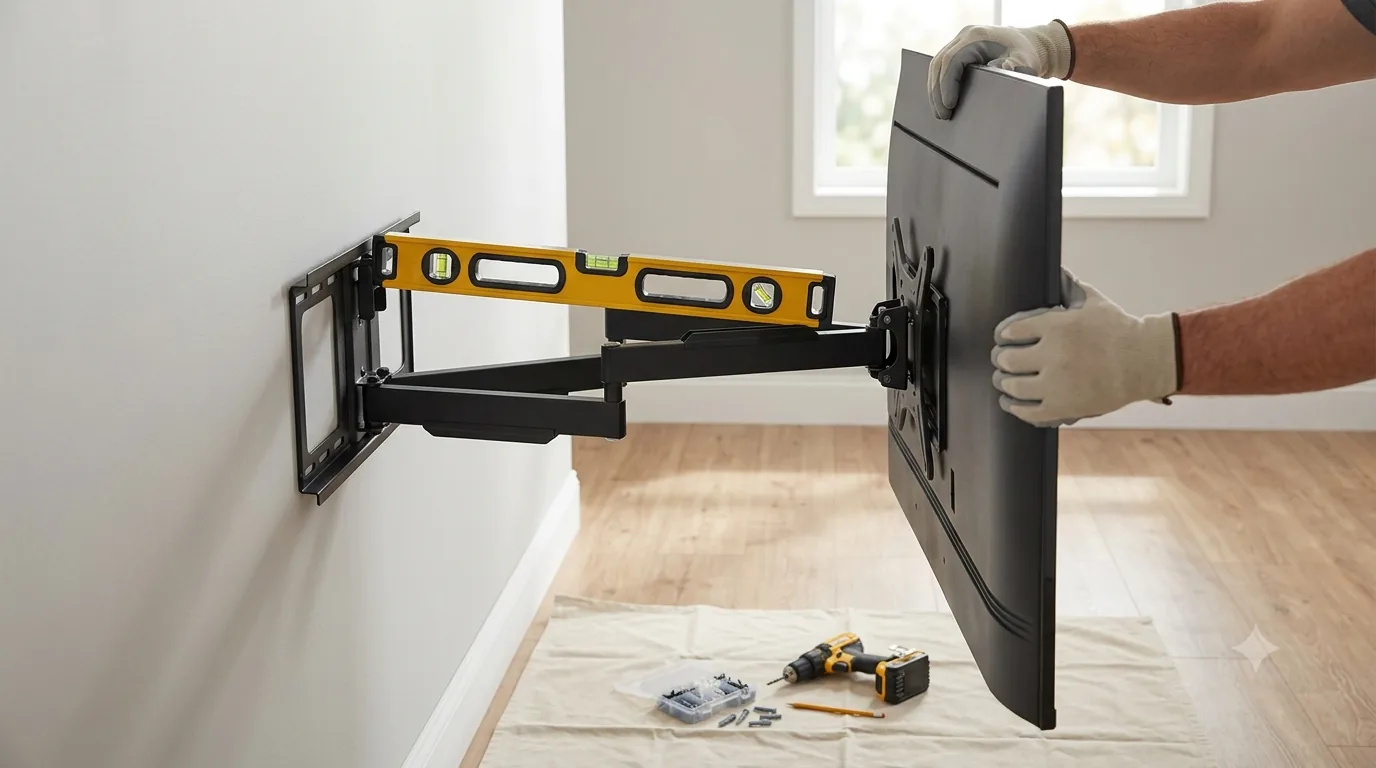
Mounting Height: Get the Eye-Level Math Right
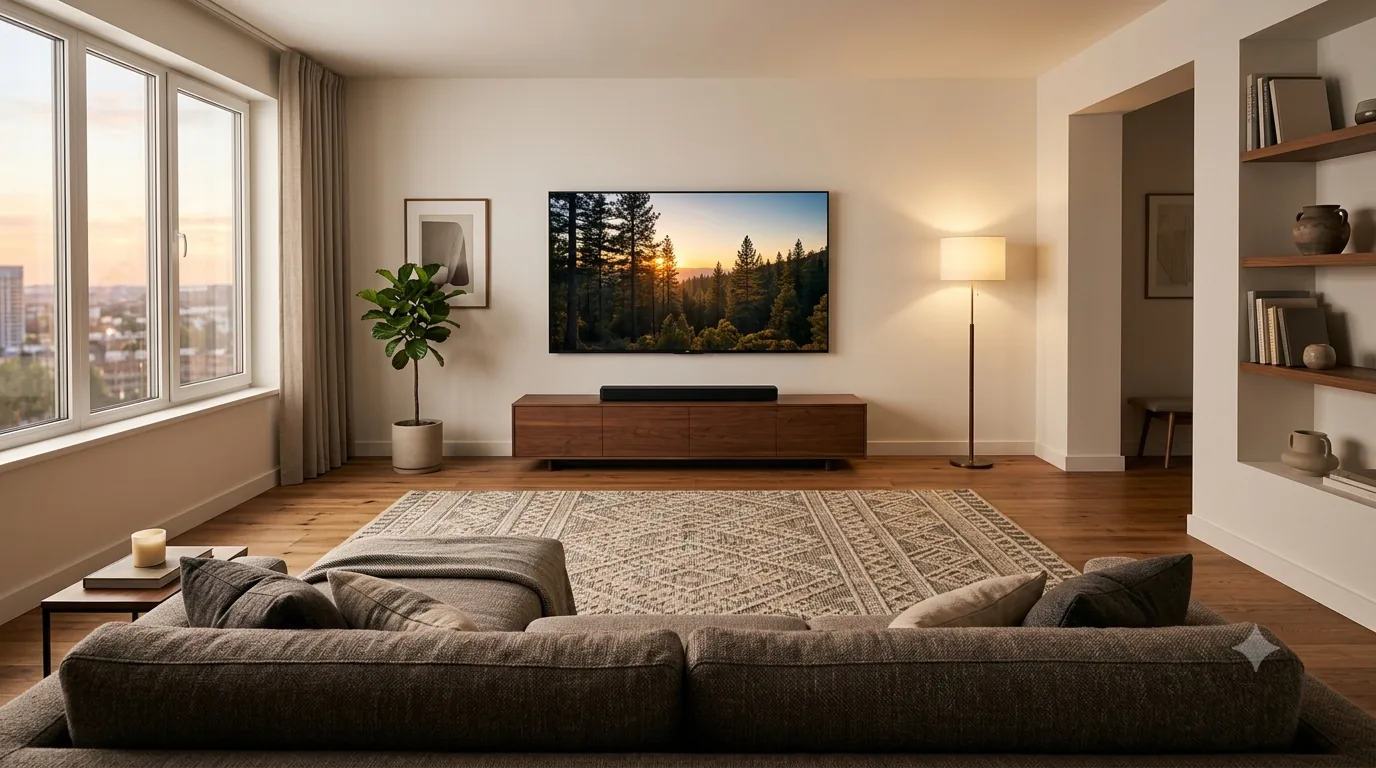
The single most common TV-mounting mistake is hanging the screen too high — often because it's centered above a fireplace or media console rather than centered on the viewer's eye line. The general target is for the vertical center of the screen to land at roughly seated eye level for your primary viewing spot, which for a standard couch typically works out to somewhere in the 42- to 48-inch range from the floor to the center of the screen, adjusted for your specific couch height and screen size. If architecture forces a higher mount — a fireplace mantel, for instance — a full-motion, tilting wall mount lets you angle the TV downward to compensate, which a fixed mount cannot do. Tilt alone can meaningfully reduce the neck strain of a too-high mount.
Viewing Distance by Screen Size
For 4K content, a widely used starting guideline is to sit somewhere between roughly 1 and 1.5 times the screen's diagonal measurement away from it. Sit much closer than that and you risk seeing individual pixels or compression artifacts in the source material; sit much farther and you lose much of the extra detail 4K resolution offers over 1080p, effectively wasting the resolution upgrade. Use the table below as a starting point, then adjust to personal preference — some viewers prefer sitting closer for a more immersive, cinema-like feel.
| Feature | 55-inch | 65-inch | 75-inch | 85-inch |
|---|---|---|---|---|
| Closer / Immersive | ~4.5 ft | ~5.5 ft | ~6.5 ft | ~7 ft |
| Farther / Comfortable | ~7 ft | ~8 ft | ~9.5 ft | ~10.5 ft |
Soundbar vs. Built-In Speakers
Modern TVs are thinner than ever, and that slimness comes at a direct cost to audio: there's simply not enough physical cabinet space for speakers that can produce meaningful bass or fire directly toward the viewer. Most built-in TV speakers fire downward, backward, or through a narrow slot, and get muffled further when wall-mounted flush against a surface. An entry-level soundbar — even a simple single-bar unit with no separate subwoofer — is consistently one of the highest-impact, lowest-effort upgrades available for a home theater setup, dramatically improving dialogue clarity and overall punch. Look for a soundbar with eARC support so it can receive high-quality audio over the same HDMI cable connected to your TV, without a separate optical cable.
Cable Management: Wall Mount, Raceways, and Power
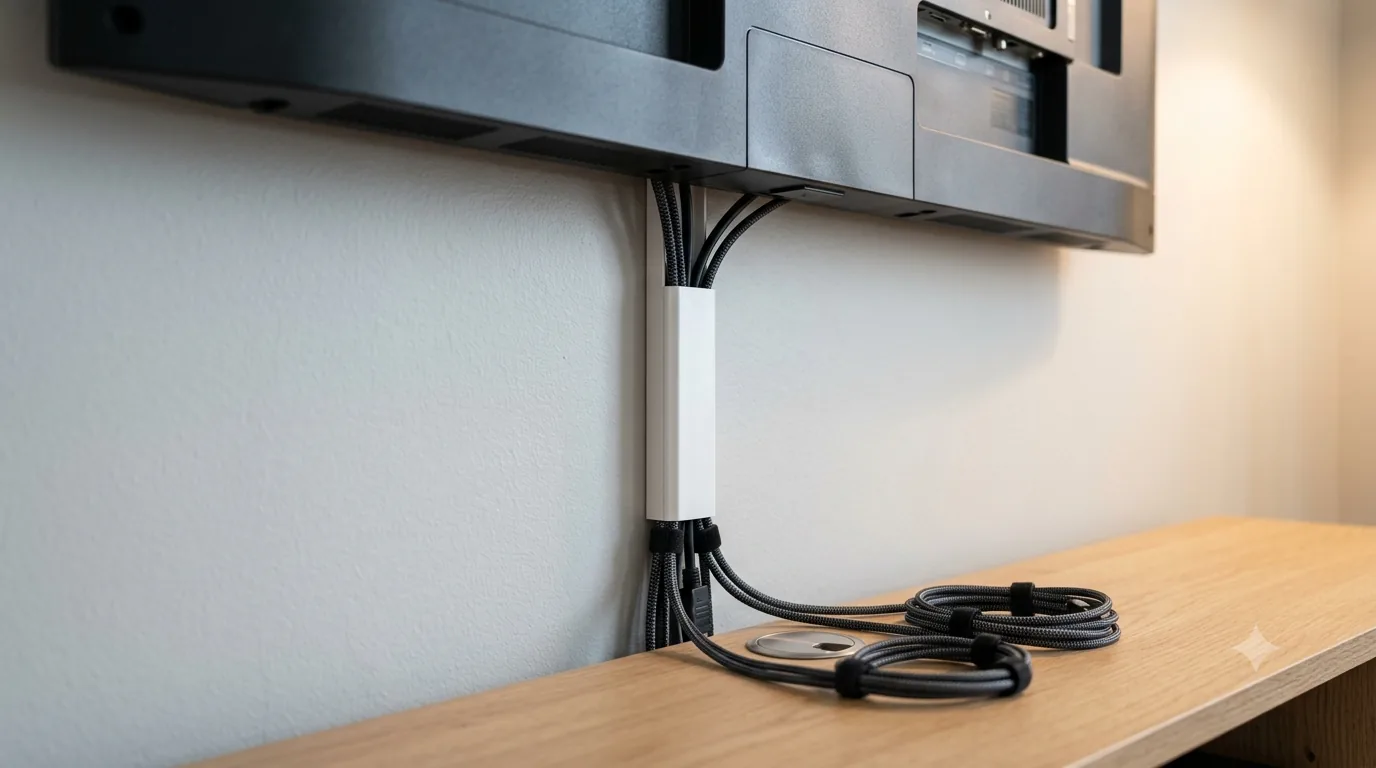
A wall-mounted TV with cables hanging loosely down the wall undercuts the whole point of mounting it in the first place. A basic cable management kit — typically an adhesive plastic raceway or channel that can be painted to match the wall — routes power and HDMI cables neatly from the TV down to an outlet or media console, and can be installed in under an hour without any in-wall electrical work. For a more finished look, an in-wall cable management kit uses a pair of low-voltage wall plates to route cables inside the wall cavity itself — check local electrical code first, since some jurisdictions have rules about routing standard power cables inside walls versus using an in-wall-rated power cable specifically. Whichever route you choose, plug the whole setup into a surge protector — a single power surge can silently fry a TV's main board, and replacing that is far more expensive than the surge protector itself.
Calibration Basics
Almost every TV ships from the factory in a "Vivid" or "Dynamic" picture mode, tuned to look punchy under bright showroom lighting rather than accurate in a home. The single best free upgrade you can make is switching to the TV's "Filmmaker Mode," "Cinema," or "Movie" preset for a more accurate, less oversaturated picture — most current TVs also auto-detect ambient light and can auto-switch out of Vivid mode if you allow it to. For gaming, use the equivalent Game Mode instead, which prioritizes low input lag over color accuracy. If you want to go further than presets allow, a basic colorimeter tool paired with free calibration software can fine-tune color temperature and grayscale tracking to reference-level accuracy — worth it for serious home theater enthusiasts, unnecessary for casual viewing.
A Simple Setup Checklist
- Mount at eye level for your main seat — use a tilting mount if you're going above a fireplace
- Sit within roughly 1-1.5x the screen's diagonal size for the best 4K detail
- Add a soundbar with eARC support — it's the single biggest upgrade for the money
- Route cables through a raceway or in-wall kit, and plug everything into a surge protector
- Switch to Filmmaker/Cinema mode for movies and Game Mode for gaming
Everything for a Clean TV Setup
Full-Motion TV Wall Mount
Mount height and tilt matter more than most spec sheets — a full-motion arm lets you correct for room glare and seating position.
Shop on Amazon →Stud Finder & Mounting Kit
A wall-mounted TV is only as secure as the studs it's anchored to. A basic stud finder prevents an expensive mistake.
Shop on Amazon →In-Wall Cable Management Kit
Routing power and HDMI cables inside the wall (or behind a raceway) is what separates a store-display look from a DIY job.
Shop on Amazon →Soundbar
Pairing a mount project with a soundbar solves both the visual and audio compromises of a slim wall-mounted panel at once.
Shop on Amazon →Colorimeter / Calibration Tool
For anyone chasing accurate color out of the box, an entry-level colorimeter goes well beyond the TV's built-in picture presets.
Shop on Amazon →Keep It Running
Full-Motion TV Wall Mount
A tilt-and-swivel mount fixes glare and off-angle viewing in ways no TV setting can — especially in bright or awkward-shaped rooms.
Shop on Amazon →Soundbar
Built-in TV speakers are thin and fire backward or downward. Even an entry-level soundbar is a bigger upgrade than most people expect.
Shop on Amazon →HDMI 2.1 48Gbps Cable
4K/120Hz, VRR, and eARC all depend on genuine HDMI 2.1 bandwidth. Older HDMI 2.0 cables silently cap you at 60Hz or drop features.
Shop on Amazon →Surge Protector
A power surge can kill a TV's main board instantly. A dedicated surge protector is cheap insurance for an expensive panel.
Shop on Amazon →Streaming Stick
Even smart TVs slow down after a couple of years. A current-generation streaming stick keeps the app experience fast and current.
Shop on Amazon →Microfiber Screen Cleaning Kit
Paper towels and glass cleaner can scratch or streak modern anti-glare coatings. A microfiber-and-solution kit is made for screens.
Shop on Amazon →Cable Management Kit
Wall-mounted TVs look unfinished with cables hanging loose — raceways and clips keep the whole setup tidy in an afternoon.
Shop on Amazon →Frequently Asked Questions
As a general rule, the center of the screen should sit at roughly eye level for your main seated viewing position — typically 42-48 inches from the floor for a couch, though this varies with screen size and couch height. For a large screen mounted high over a fireplace, a full-motion or tilting mount that angles the TV downward toward the seating area helps correct the resulting neck strain.
For 4K content, a common guideline is a viewing distance of roughly 1 to 1.5 times the screen's diagonal size — for example, a 65-inch TV works well at around 6.5 to 9 feet. Sitting closer than that can make individual pixels or compression artifacts more visible; sitting much farther reduces the sense of immersion and detail that 4K resolution provides over 1080p.
Almost certainly yes. TV panels have gotten thinner every year, which leaves very little physical space for speakers — most built-in TV audio fires downward or backward and lacks meaningful bass. Even an entry-level soundbar is one of the highest-impact, lowest-effort upgrades you can make to a home theater setup.
If you want 4K/120Hz, VRR, or eARC (for high-quality soundbar audio), yes — reused older HDMI cables are frequently not rated for full HDMI 2.1 48Gbps bandwidth and can silently cap your picture or drop features without any error message. A certified HDMI 2.1 cable is inexpensive insurance against mysterious 'why isn't 120Hz working' troubleshooting sessions.
Calibration adjusts a TV's color, brightness, and contrast settings to match an accurate industry reference standard, rather than the exaggerated 'vivid' factory preset most TVs ship with. Simply switching to the TV's 'Filmmaker Mode' or 'Movie/Cinema' preset gets you most of the way there for free. A dedicated colorimeter tool is worth it only if you want to go further than presets can offer.
Last reviewed: July 19, 2026. Distance and height figures are general starting guidelines — adjust to your room, furniture, and personal preference.